Focus Pet Apps: How They Work and Who They Help
What a focus pet app does, the penalty vs gentle split, and a checklist for picking one that suits how you work.
By the DeskTails team · Published · Updated
A focus pet app is a timer with a character attached. You start a work session, a little pet keeps you company, and finishing the session earns rewards you spend on the pet or its room. Most use Pomodoro-style intervals. The big difference between them is what happens when you quit early: some apps make the pet sad, others simply let you stop.
This guide explains how they work, the two design styles, who each one suits, and how to pick one. We build one ourselves, so we will say where our bias sits.
What is a focus pet app?
A focus pet app pairs a countdown timer with a virtual companion that reacts to your work. The timer usually follows the Pomodoro Technique that Francesco Cirillo created in the late 1980s: 25 minutes of focus, then a 5-minute break. The pet turns a plain timer into something you care about checking in on.
People search for them under lots of names: study pet, pet pomodoro timer, cute pomodoro timer, cat timer, virtual pet focus timer, or just focus companion. They all describe the same basic idea. The pet does not do your work for you. It is there to make starting feel lighter and finishing feel like something.
How does a pet pomodoro timer work?
Nearly every pomodoro timer with a pet runs the same four-step loop. Apps like Focus Friend, by Hank Green, have made this loop familiar to a lot of students. The details change from app to app, but the shape stays the same.
- Start a timer. You pick a length, often 25 minutes, and press start.
- The pet reacts. It sits, naps, knits, reads or works beside you while the clock runs.
- You earn a reward. Completed sessions pay out coins, treats or items. In Focus Friend, the bean earns socks and scarves.
- You decorate. Rewards buy furniture, plants or outfits, so the room slowly fills up with proof of your work.
That last step matters more than it sounds. A room that grows over weeks gives you a visible record of effort, which a bare timer never does. On top of the loop, some apps add extras: app or site blocking, streaks, stats, or the option to focus alongside friends.
Penalty or gentle: the two design styles
The real split between focus pet apps is how they treat an unfinished session. Penalty-based apps attach a cost to leaving: the pet looks upset, or a plant withers. Focus Friend is a clear example, since its App Store listing says turning off the timer makes the bean “really really sad.” Gentle apps let you stop with no loss.
Penalty-based: stakes that keep you put
Some apps make the cost of quitting visible. A tree you were growing dies, a character droops, or a reward never arrives. For plenty of people this works well. The small emotional sting is exactly what stops them from picking up their phone at minute 12. If you like a bit of pressure and enjoy protecting something, this style can be very effective.
Gentle: nothing taken away
No-penalty apps reward finished sessions but never punish early exits. Stop at minute 12 and you simply stop. The idea is that a timer should be easy to start again, and that guilt is a poor fuel for people who already struggle to begin.
We chose this second style for DeskTails, the app we make. In our experience, guilt helps some people stay but makes others avoid starting at all. If a sad pet is waiting whenever a session goes wrong, the easiest way to avoid that feeling is to never press start. So we reward finishing and take nothing away for stopping.
| Style | What happens if you quit | Often suits |
|---|---|---|
| Penalty-based | Pet gets sad, plant withers, reward is lost | People motivated by stakes, phone-heavy distraction, short bursts of hard focus |
| Gentle / no-penalty | Session just ends; nothing is taken away | People who procrastinate on starting, anyone prone to guilt spirals, long or unpredictable days |
Neither is wrong. A quick test: think about the last time you broke a streak in any app. If you felt a push to get back on track, stakes may suit you. If you quietly stopped opening the app, try a gentle one.
Cartoon pet or your own pet?
Most focus companions are invented characters, like Focus Friend’s bean. A smaller group lets you use a photo of your real cat or dog instead. Both work. A cartoon pet comes with polished animation and personality, while your own pet brings a familiar face you already feel warmly about.
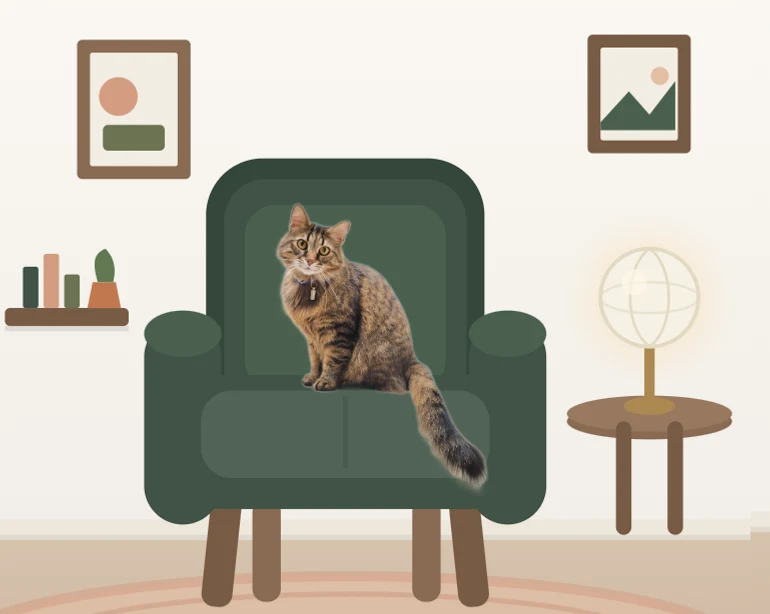
DeskTails takes the second route. You upload a photo, the background is removed in your browser, and your pet sits on a chair in a cozy illustrated room while the timer runs. Your original photo never leaves your device; only the cutout is stored, privately. You can see your own pet on a desk in the free preview without making an account.
If you pick any app that uses your photos, check how it handles them. Ask whether the original image is uploaded, where it is stored, and whether anything is public by default.
Do focus pet apps actually help you focus?
There is no research on focus pet apps specifically, so nobody can honestly promise results. The pieces they combine have some support, though. A 2023 study of 87 university students found that fixed Pomodoro-style breaks came with less fatigue and better concentration than self-timed breaks.
That study covered one day of self-study and relied on self-report, so treat it as a hint, not proof. The task completion was similar in both groups; the structured groups just felt better doing it.
The companion part is even less proven, but there are related ideas. A preliminary Virginia Commonwealth University study from 2012 found employees reported less stress over the workday when their dog was with them. The sample was small, it involved real dogs rather than pictures, and the authors called for larger studies.
Another related idea is body doubling: working with someone nearby who is not doing your task. Understood.org notes that many people with ADHD find it useful, though there is not much research yet. A pet on screen is not a person, but some people find it gives a similar sense of “someone is here with me.” Our guide to body doubling covers the human version.
The fair summary: a focus companion is a nudge, not a treatment. If it makes you more likely to start a timer, it is doing its job.
Do they work for studying, and on a computer?
Yes to studying: many are popular with students, and the 25/5 rhythm fits revision well. Desktop is where options get thinner. Many study pet apps live on phones only. Focus Friend, for example, is listed on the App Store for iPhone and iPad, which suits people who study away from a laptop.
If your work happens on a computer, a browser-based timer keeps the pet on the same screen as your notes. That means no reaching for your phone to check the clock, which is often where distraction begins. We compare options in our Focus Friend alternative for desktop post, and our Pomodoro settings for studying guide covers interval lengths for different subjects.
How to choose a focus companion: a checklist
Pick based on five things: the device you work on, how you react to penalties, whether you need blocking, the price model, and photo privacy if the app uses your pictures. Run through the table below in about two minutes, then try your top choice for a week before paying anything.
| Question | Why it matters | What to look for |
|---|---|---|
| Phone or computer? | The pet should live where you work | Phone app for on-the-go study; browser or desktop app for laptop work |
| Penalty or gentle? | Stakes help some people and stall others | Read the listing for words like “sad,” “dies” or “lose” |
| Do you need blocking? | Some distractions need a hard wall | App locking on phones; site blocking on computers; check it covers your browser |
| How is it priced? | Free tiers vary a lot | What the free plan includes, monthly vs yearly vs lifetime, and whether a trial needs a card |
| What happens to your photos? | Pet photos can show your home | Whether originals are uploaded, private storage, nothing public by default |
On price, most focus pet apps are free to start with paid upgrades. At the time of writing, Focus Friend lists Pro on the US App Store at $3.99 a month, $19.99 a year or $39.99 lifetime. Our own plans are on the DeskTails pricing page, including a free-forever tier, and the help center answers setup questions. You can also read more about DeskTails before trying anything.
Whatever you choose, the best focus companion is the one you actually open tomorrow. If an app makes you feel worse about stopping than good about starting, it is fine to switch.
Frequently asked questions
Are focus pet apps free?
Most are free to download and use, with paid upgrades for extra decorations, stats or blocking. Pricing models differ: some charge monthly, some yearly, and some offer a one-time lifetime price. Before paying, check what the free plan includes, whether the trial asks for a card, and whether the features you want are behind the paywall.
Is there a focus pet app for my computer instead of my phone?
Yes, though there are fewer of them. Many study pet apps are phone-only. Browser-based timers run on any laptop or desktop and keep the companion on the same screen as your work. That way you never need to pick up your phone to check the time, which is a common way a short glance turns into ten minutes.
Can I use a photo of my own cat or dog?
Some apps let you, though most use invented characters. DeskTails is built around your own pet: you upload a photo, the background is removed in your browser, and your pet sits in a cozy room while you focus. Whatever app you use, check whether the original photo is uploaded and whether anything is shared publicly by default.
What happens if I stop a session early?
It depends on the app. In penalty-based designs the pet may look sad, a plant may wither, or you lose that session’s reward. In gentle designs you simply stop and nothing is taken away. If you are not sure which style an app uses, read its store listing or try quitting one short test session.
Are focus pet apps good for kids or teens?
They can be a friendly way to practise working in short blocks, and the rewards give younger students something to look forward to. Check each app’s minimum age and privacy terms first. DeskTails, for example, requires users to be at least 13. For children prone to worry, a no-penalty design may be the kinder choice.
Sources
- Francesco Cirillo, The Pomodoro Technique (official site)
- Apple App Store, Focus Friend, by Hank Green (2026)
- Biwer et al., Understanding effort regulation: Comparing ‘Pomodoro’ breaks and self-regulated breaks (2023)
- ScienceDaily / VCU, Dogs in the workplace may reduce stress, make jobs more satisfying (2012)
- Understood.org, Body doubling for ADHD: What it is and how it works (2023)
Put your own pet on your desk
Upload a photo and see your cat or dog in a cozy focus room in under a minute. Free, right in your browser.
Free to sign up · No card needed · Pro free for 7 days
Keep reading
- Focus Friend alternative for your computer: an honest comparisonFocus Friend vs DeskTails: a fair comparison for people who want a focus pet on their computer.
- The Pomodoro Technique: A Step-by-Step GuideThe classic 25/5 method step by step, the research on breaks, timings by task type, and how to handle interruptions.
- Body Doubling: What It Is and How to Try ItWhat body doubling is, why many people find it helpful, six formats compared, and a short script for your first session.