Body Doubling: What It Is and How to Try It
Why working alongside someone may make it easier to start, the formats you can try, and a simple script for your first session.
By the DeskTails team · Published · Updated
Body doubling means doing a task while another person is present, either in the room or on a video call. They don’t help with the task. They just work alongside you. Many people, especially people with ADHD, find that a quiet companion makes it easier to start and keep going. Below you’ll find what it is, the formats you can try, and a short script for your first session.
DeskTails is a focus tool, not a medical or mental-health treatment. If focus problems are affecting your work, studies or wellbeing, talk to a doctor or a licensed professional.
What is body doubling?
Understood.org describes body doubling as having another person nearby while you work on something, someone who doesn’t do the task for you. It’s also called parallel working, and it became popular during the pandemic.
The other person is often called a body double. They might be a friend at the next desk, a stranger in an online session, or a classmate on a call with cameras on. What matters is presence, not help. You each do your own work, side by side.
You don’t need a diagnosis to try it. Lots of people already do a version of this without a name for it: studying in a library, writing in a café, or doing chores while a housemate cooks.
Why might working next to someone help?
According to Understood.org’s 2023 explainer, a body double may help with motivation, accountability, ignoring distractions and adding structure. The same article is clear that there isn’t much research yet to show whether it works, even though many people with ADHD say it helps them.
So treat it as something to test on yourself, not a proven method. These are the reasons people commonly give for why it feels easier:
- A cue to start. A session begins at a set time, and someone else is already there. That can lower the hurdle of getting going.
- Gentle accountability. Saying “I’m going to finish the draft” to another person makes the goal feel more real, even if they never check.
- Structure. A shared start and end time gives an open afternoon some edges.
- Less drifting. With someone visibly working nearby, picking up your phone can feel less automatic.
None of this replaces support from a professional. If focus problems are getting in the way of work, school or daily life, a doctor or licensed clinician is the right person to talk to.
What types of body doubling can you try?
There are at least six common formats, from a friend at your kitchen table to a pet asleep by your desk. They differ in how much effort they take to set up, how strong the sense of accountability is, and what they cost. The table below compares them so you can pick one that fits your week.
| Format | Effort to set up | Accountability | Cost | Best for |
|---|---|---|---|---|
| In person (friend, library, café) | Medium: travel or a plan | Strong with a friend, mild with strangers | Free, or a coffee | Long study days, chores, people who like a change of scene |
| Live virtual sessions with strangers | Low: book a slot | Medium to strong, since you state a goal | Free tiers or subscription, depending on the service | Remote workers who want sessions on demand |
| Video call with a friend | Low to medium: find a time | Strong, because you know each other | Free | Pairs of students or coworkers with similar schedules |
| Recorded “study with me” videos | Very low: press play | Weak, nobody sees you | Free | Late nights, quick starts, people who find live calls draining |
| Focus rooms in apps | Low: share a code or link | Medium, with a shared timer | Varies by app | Small groups who want the same rhythm |
| A pet as a quiet companion | None, if you have one | Very weak; it’s a mood cue, not a check-in | Free | Days you want company without any social effort |
Virtual body doubling
Virtual body doubling covers anything done over a screen. Virtual coworking services match you with other people for a timed session, usually with a quick hello where each person says their goal. A video call with a friend works the same way, minus the booking. Many people keep the microphone muted for most of the session and only chat at the start and end.
Study with me videos
These are long recordings of someone studying or working, often with a visible timer. Nobody watches you back, so the accountability is light. For some people that’s the point: you get the feeling of company with zero pressure.
Can a pet be a body double?
A pet isn’t the same as a human body double. Your cat won’t ask what you got done. Still, a 2012 study from Virginia Commonwealth University found something related: in a preliminary workplace study, a dog’s presence was linked to lower perceived stress at work.
That study was small and the authors called for larger ones, so read it as a hint, not proof. In practice, a pet works best as a softer cue. It makes the desk feel less lonely, and a sleeping dog is a nice signal that this is quiet time. If you need someone to answer to, pair the pet with a timer or a friend.
We cover this idea in more depth in our guide to how focus pet apps work.
How do you run a body doubling session?
A simple session takes four steps and about 30 to 60 minutes: pick one task, say it out loud or type it, work on a timer, then check in at the end. You can do this with a friend, a stranger online or on your own with a pet nearby. Keep the first one short.
- Pick one task. Make it small and concrete: “outline section two”, not “work on the essay”.
- Say it or type it. Tell your partner, drop it in the chat, or write it on a sticky note if you’re alone.
- Set a timer. A 25-minute block is a common start, borrowed from the Pomodoro Technique. Mute yourselves and work until it rings.
- Check in. Share what you got done, even if it was less than planned. Then take a short break or call it.
A short session script
If you’re not sure what to say, borrow this:
- Start (1 minute): “Hi. For the next 25 minutes I’m going to answer three emails. What about you?”
- During: Cameras on if you like, mics muted. No chatting until the timer ends.
- End (2 minutes): “I answered two and started the third. Want to do another round?”
Students can find longer block and break settings in our guide to timer settings for studying.
Using a timer and a companion in DeskTails
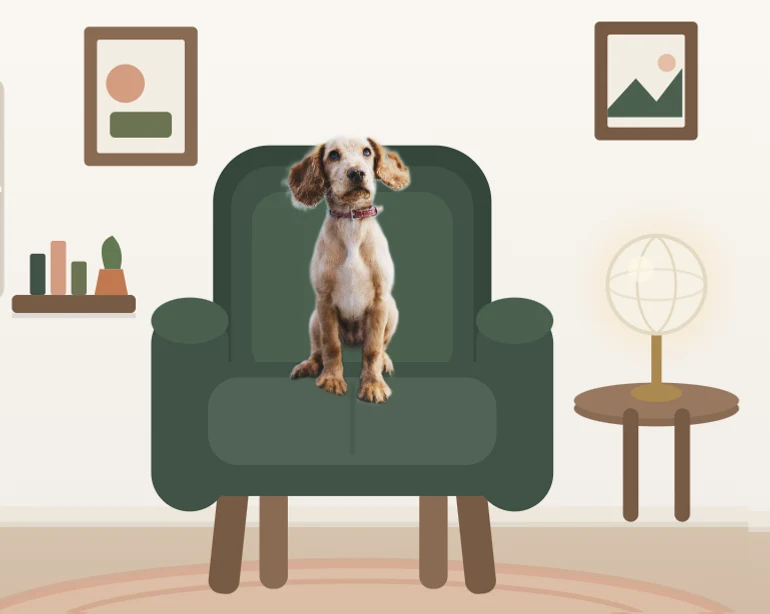
DeskTails, the app we make, is a browser-based Pomodoro timer where a photo of your own cat or dog sits on a chair in a cozy illustrated room while you work. It defaults to 25-minute focus blocks and runs on any computer, with no download needed.
For body doubling, it offers two kinds of company. Your pet is the always-there option: it’s in the room every time you start the timer, whether or not anyone else is free. When you want people, co-focus rooms let up to four friends share one timer by entering a room code, each with their own pet on screen. Joining is free; hosting a room is a Pro feature, listed on our pricing page.
You can see your own pet in a focus room without an account; the photo is processed in your browser and nothing is uploaded in the preview. There’s more about the app on the DeskTails home page, and setup questions are answered in the help center. If it isn’t for you, every format in the table above works without it.
When does a body double not help?
Body doubling isn’t for everyone, and it can backfire in at least three common situations: social anxiety, a chatty partner, and relying on it so much that solo work feels impossible. If any of these sound familiar, adjust the format or try working alone with a timer instead.
- Social anxiety. Being on camera with strangers can use up more energy than it saves. A recorded video, a friend you trust, or a pet nearby may feel gentler.
- Chatty partners. If sessions turn into hangouts, agree on muted mics until the timer ends, or switch partners.
- Dependency. If you can only work when someone is there, try mixing in solo blocks. A timer and a written goal give you some of the same structure on your own.
- Scheduling friction. Waiting for a free slot can become a new way to put things off. Keep a no-booking option, like a video or a timer, as a backup.
There’s no wrong answer here. Try one format for a week, notice what changes, and keep only what actually helps.
Frequently asked questions
Does body doubling work for ADHD?
Many people with ADHD say it helps them start tasks and stay on them, and Understood.org lists motivation, accountability and structure as possible benefits. It also notes there isn’t much research yet to prove whether it works. Treat it as a low-cost experiment, and talk to a doctor or licensed professional if focus problems are affecting your daily life.
Do you need to talk during a body doubling session?
No. Most sessions involve a quick hello at the start, where each person says what they’ll work on, and a short check-in at the end. In between, people usually work in silence with microphones muted. If talking keeps creeping in, agree on a no-chat rule until the timer rings, or try a recorded video instead.
Is body doubling only for ADHD?
No. It’s often discussed in ADHD communities, but anyone who finds it easier to work with company can try it. Students studying in libraries, remote workers on coworking calls and friends doing chores together are all doing a version of it. You don’t need a diagnosis, and it costs nothing to test with a friend.
What is a body doubling app?
It’s any app that gives you company while you work. Some match you with strangers for live video sessions, some let friends share a timer in a focus room, and some offer a virtual companion. Look for one that fits how much social contact you want, and check whether the features you need are free or paid.
How long should a body doubling session be?
Start with something short, around 25 to 50 minutes, so the session feels easy to commit to. Many people use a Pomodoro-style block of 25 minutes followed by a 5-minute break. If it goes well, add another round rather than making the first block longer. Adjust based on the task and how you feel afterwards.
Sources
Put your own pet on your desk
Upload a photo and see your cat or dog in a cozy focus room in under a minute. Free, right in your browser.
Free to sign up · No card needed · Pro free for 7 days
Keep reading
- Focus Pet Apps: How They Work and Who They HelpHow focus pet apps work, the difference between penalty and gentle designs, and a checklist for choosing one.
- Pomodoro Study Timer: The Best Settings for StudyingWhich Pomodoro settings to use for each kind of studying, what research on student breaks found, and a sample revision-day plan.
- The Pomodoro Technique: A Step-by-Step GuideThe classic 25/5 method step by step, the research on breaks, timings by task type, and how to handle interruptions.